If you are unable to convert an enquiry to an event booking, it is usually because the enquiry status is not set to Provisional.
TABLE OF CONTENTS
- 1. Check the enquiry status
- 2. Update at least one venue option to Provisional
- 3. Save the enquiry
- 4. Convert the enquiry to an event booking
Follow the steps below.
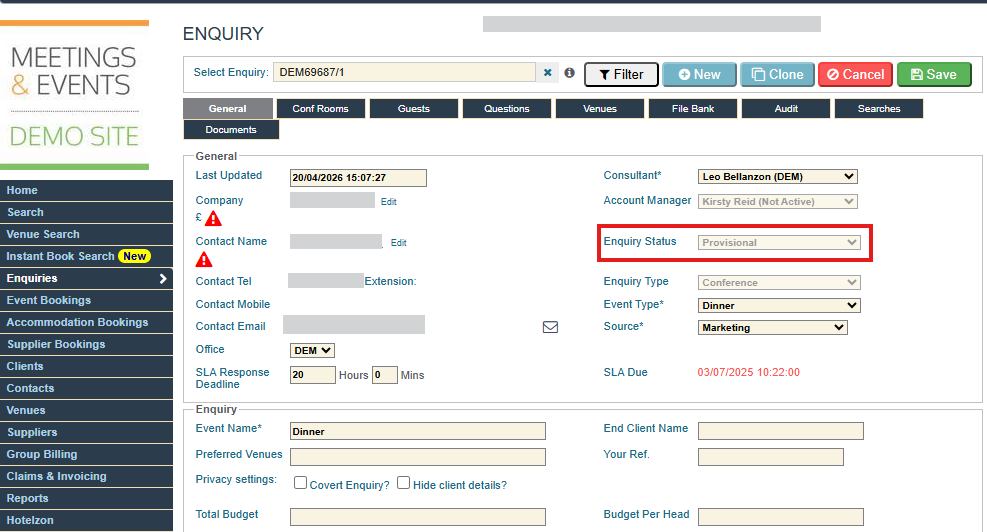
1. Check the enquiry status
- Go to the General tab of the enquiry.
- Check the Status field.
- If it is not set to Provisional, continue with the steps below.
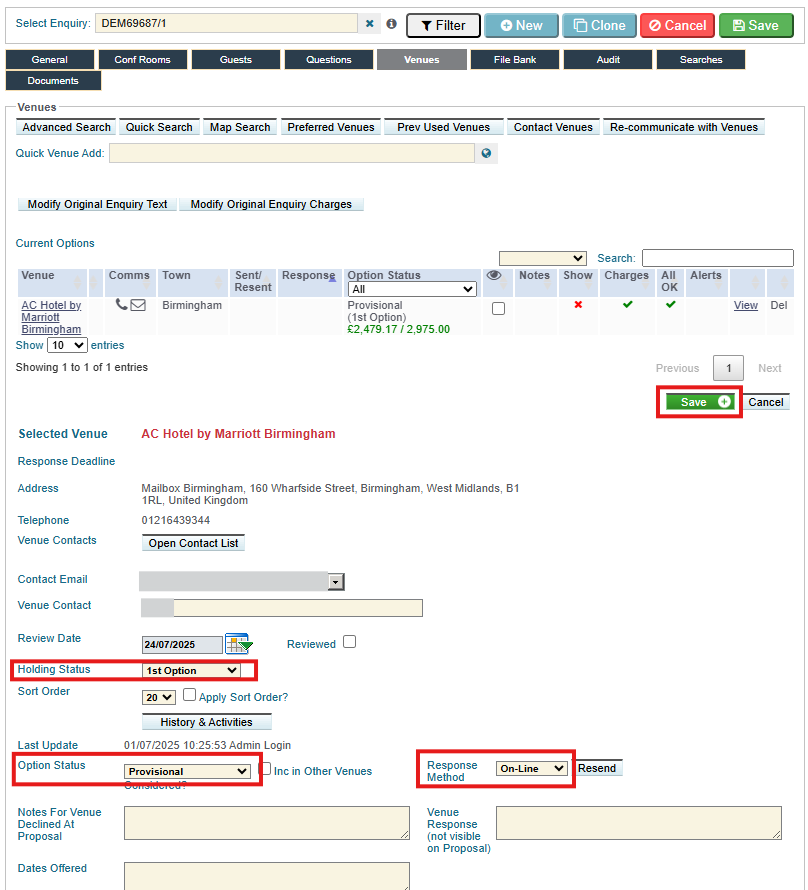
2. Update at least one venue option to Provisional
For each venue option:
- Open the venue option.
- Ensure Option Status is set to Provisional.
- Ensure a Holding Status is selected.
- If the venue responded by phone or email (not via the online RFP), set Response Method to Telephone or Email as appropriate.
- Click Save within the venue option.
You cannot have venues with status New.
You must have at least one venue option with:
- Option Status: Provisional
- A Holding Status selected
- A Response Method (especially if the response was not via the online RFP)
- You cannot have venues with status New.
3. Save the enquiry
- After updating the venue option(s), click Save in the top right of the enquiry.
- Return to the General tab and check that the Status now shows Provisional.
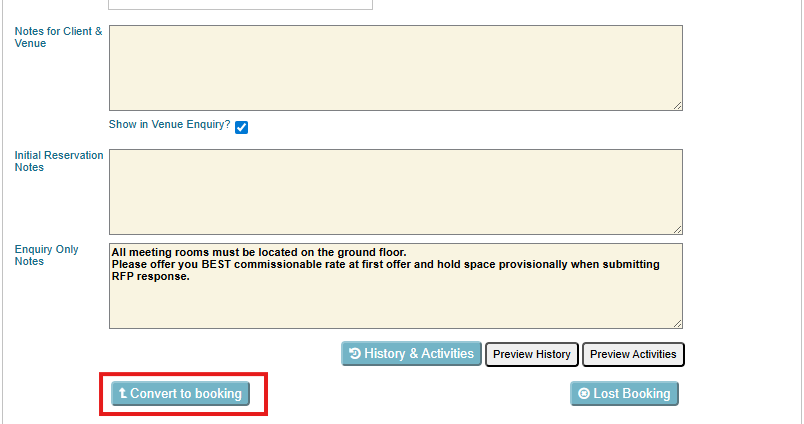
4. Convert the enquiry to an event booking
Once the Status is Provisional:
- Click Convert to booking on the enquiry.
- The enquiry will now be converted into an Event booking, and you can continue managing it as a booking.
Was this article helpful?
That’s Great!
Thank you for your feedback
Sorry! We couldn't be helpful
Thank you for your feedback
Feedback sent
We appreciate your effort and will try to fix the article