Follow these steps to import a new booking from TripStax/HotelZon into GRATIS.
TABLE OF CONTENTS
- 2. Choose the TripStax/HotelZon reservation
- 3. Select the venue
- 4. Check and update the booking details
- 5. Manage the documents
1. Start a new accommodation booking
- From the main menu, select Accommodation Booking.
- In the top-right corner, click New.
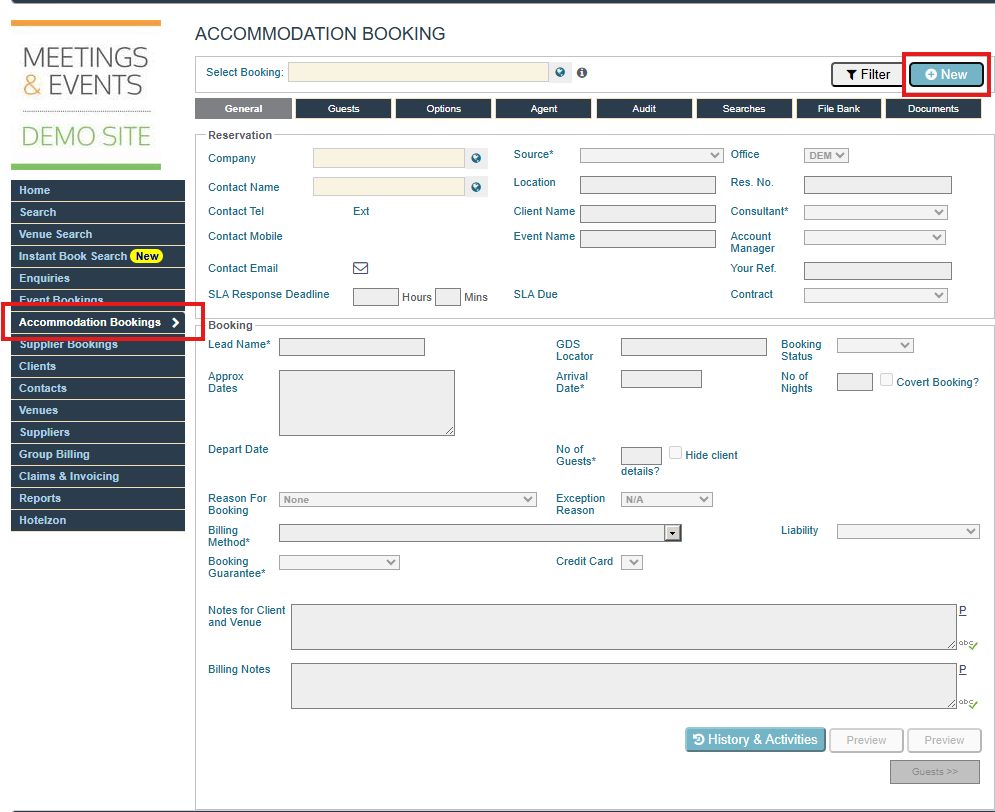
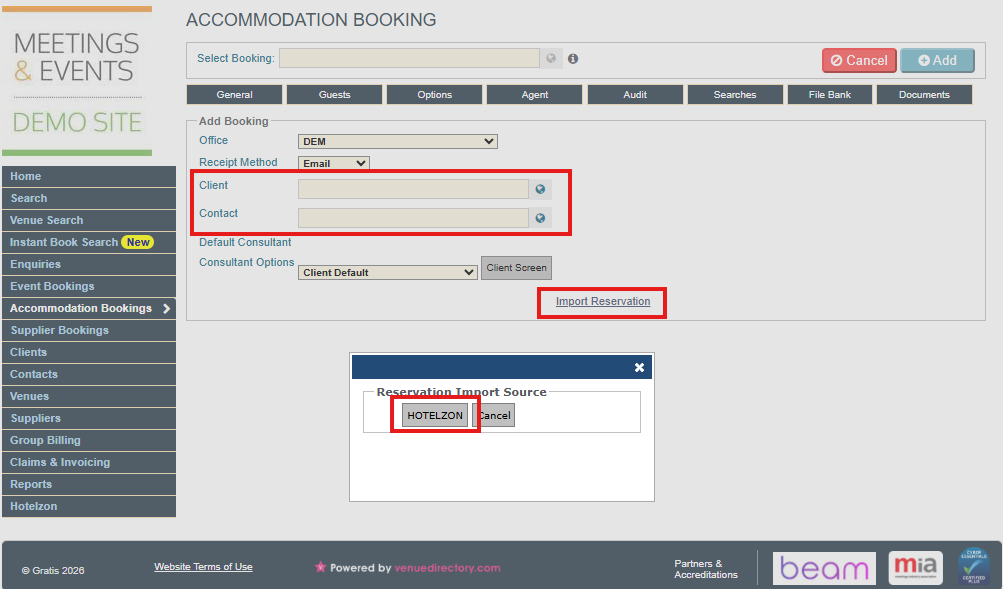
- On the new booking screen, enter your Client and Contact.
- Click Import Reservation.
- A small pop-up window will appear.
2. Choose the TripStax/HotelZon reservation
- In the pop-up, click HOTELZON.
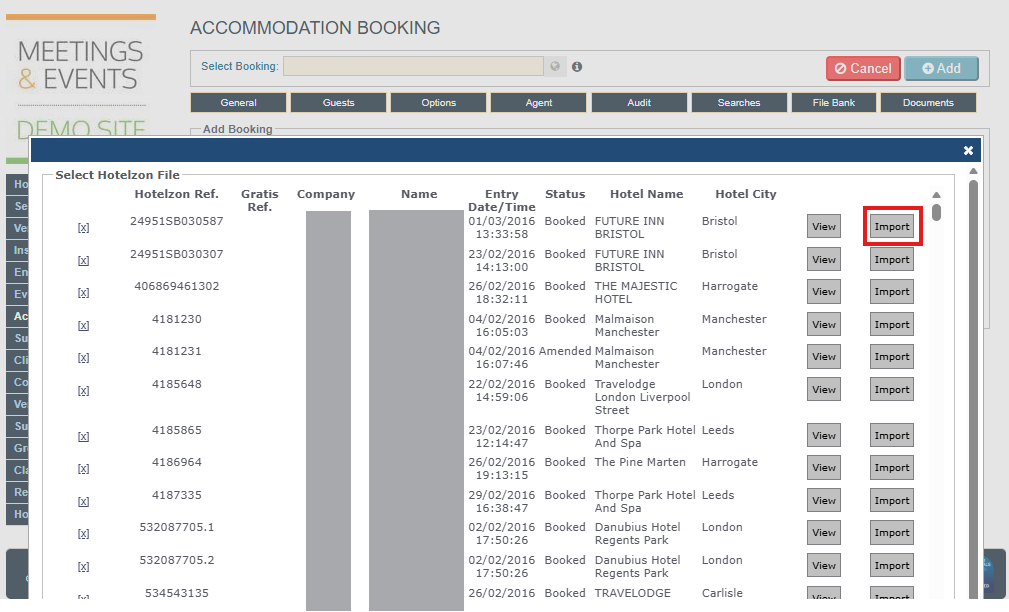
- A list of your available HotelZon bookings will display.
- Select the booking you want to import.
- Click Import.
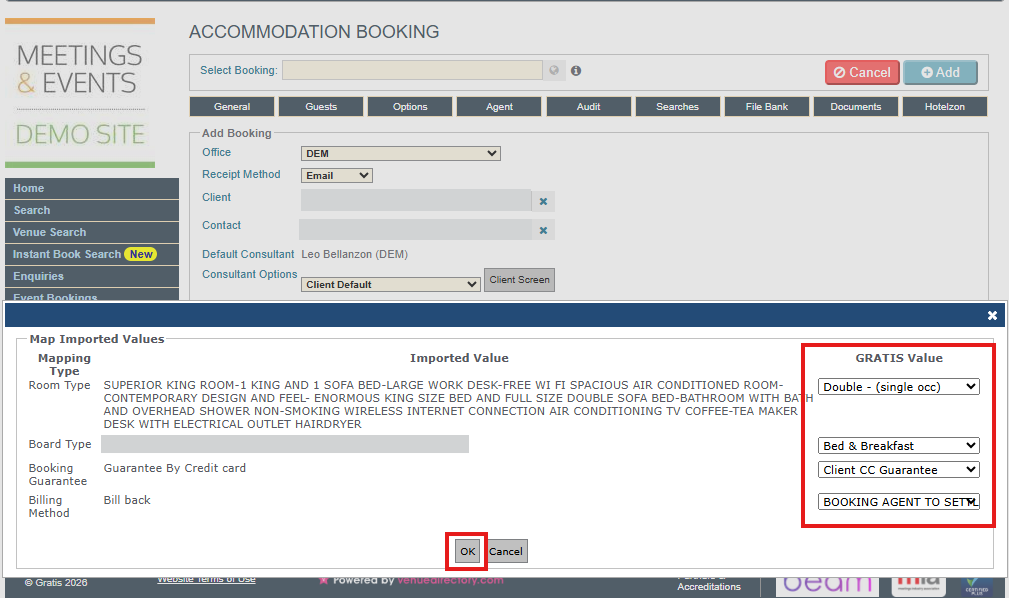
- You will be prompted with the booking's mapped details, such as Room Type, Room Basis, Booking Guarantee and Billing Method, and it's possible to amend them if needed.
- Click OK to proceed.
3. Select the venue
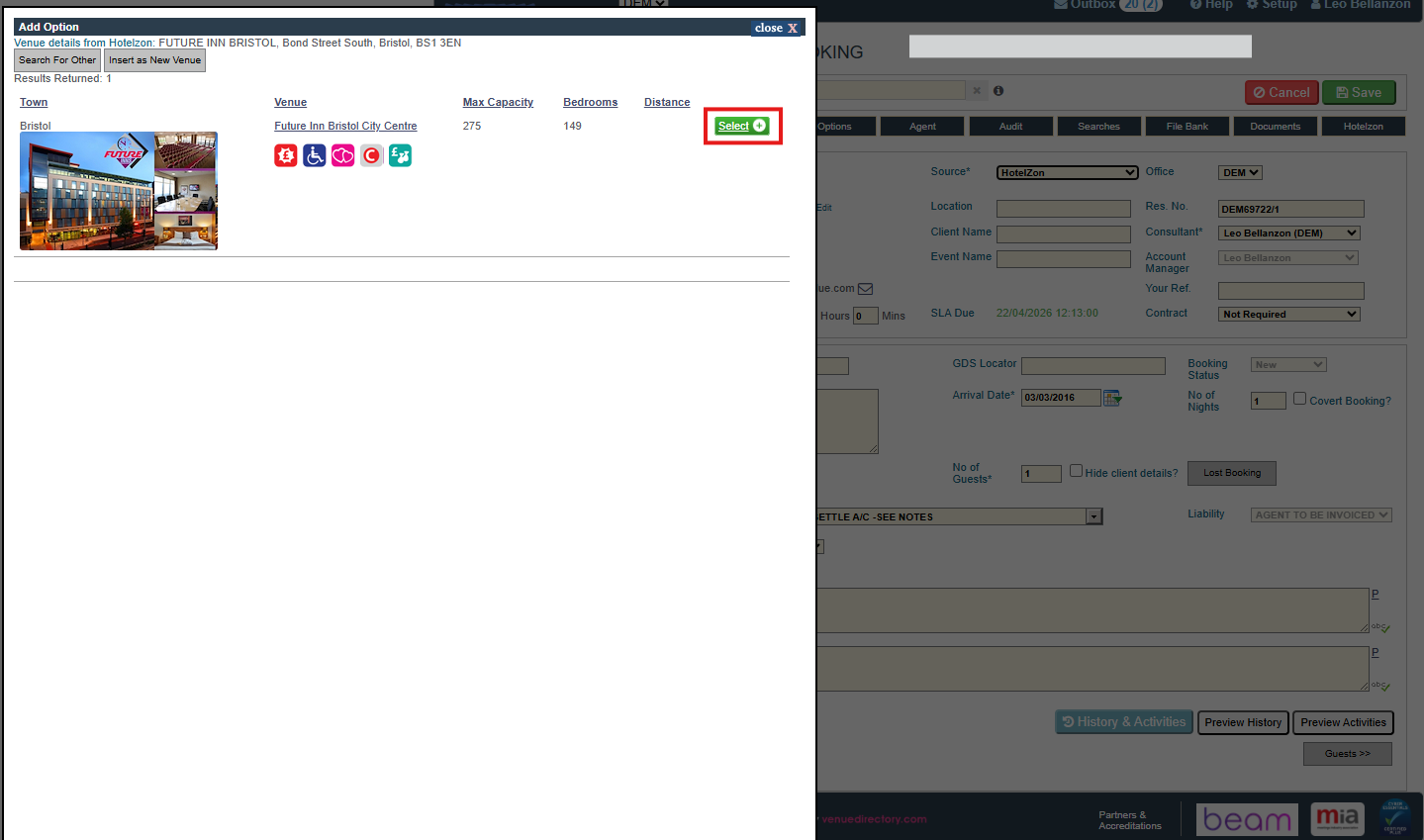
- Choose the correct venue from the list.
- Click the green Select button to confirm your choice.
- The booking details screen will now open.
4. Check and update the booking details
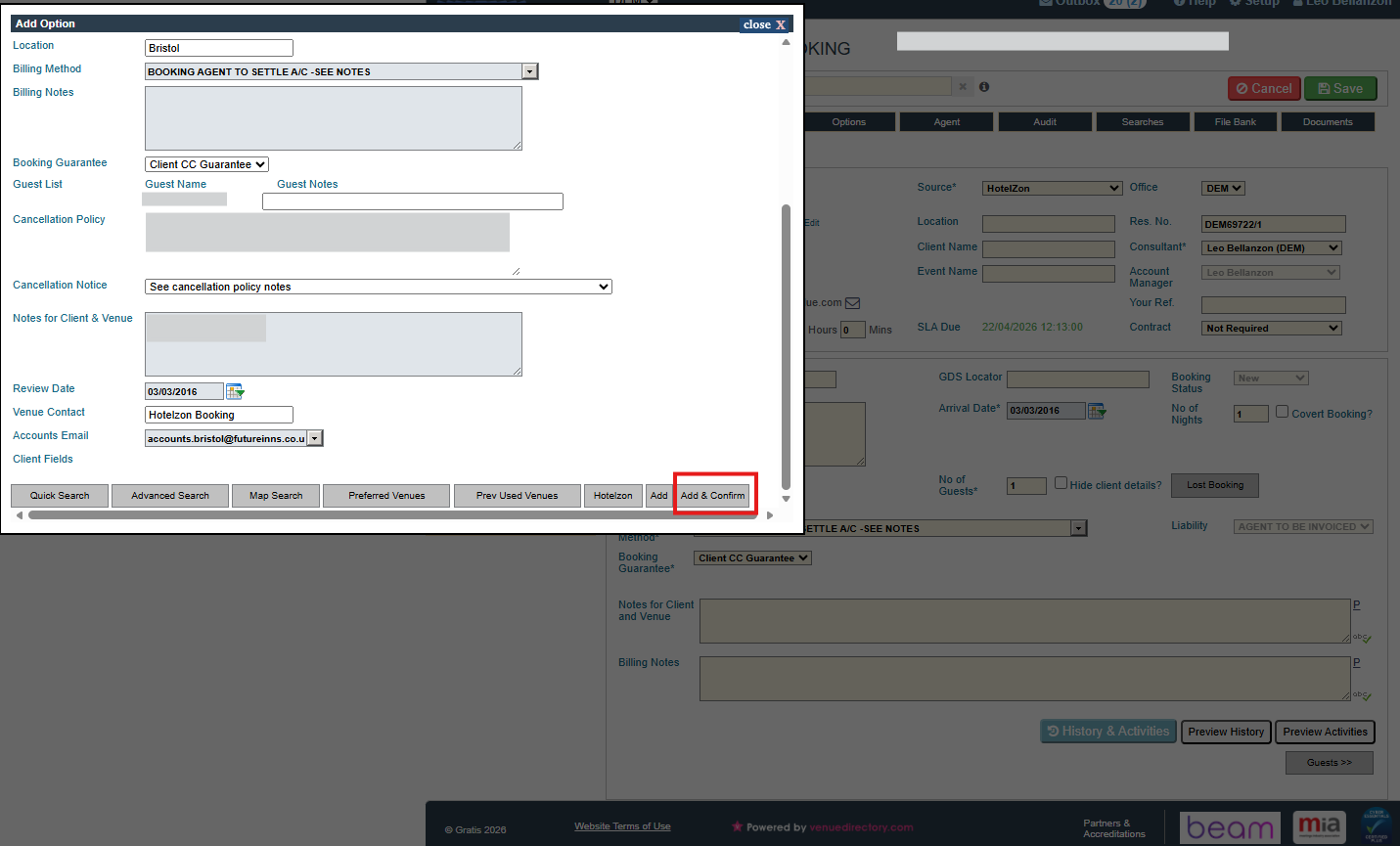
Most fields will be pre-populated from the HotelZon booking, but you can edit anything if required.
- Review all booking details carefully.
- Add any required client fields (e.g. cost codes, references) as needed.
When everything is correct, click Add & Confirm at the bottom of the screen.
5. Manage the documents
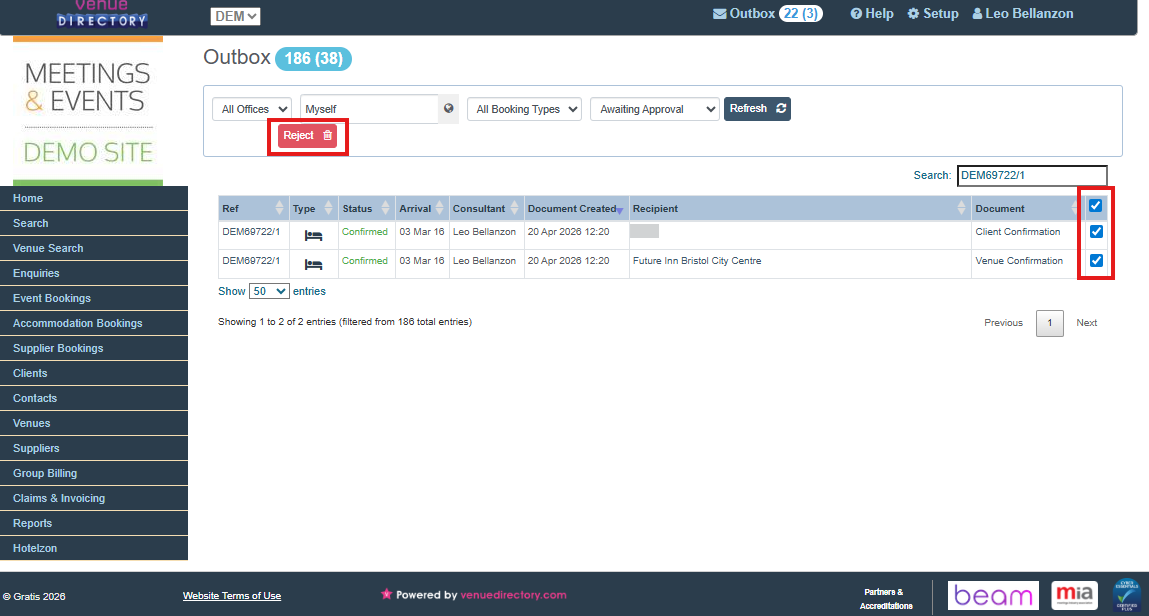
The imported booking documents will now appear in your Outbox and in the Documents tab.
- These documents do not need to be sent to the client, and you can delete them either from the Outbox or from the Documents tab.
- To delete the documents in the Documents tab:
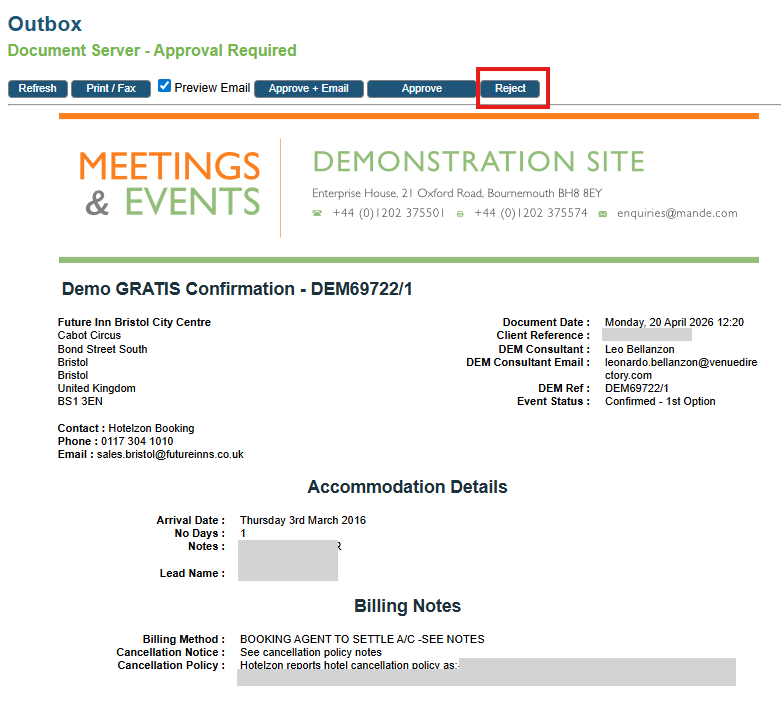
- Open one of the documents.
- Click on Reject at the top of the page.
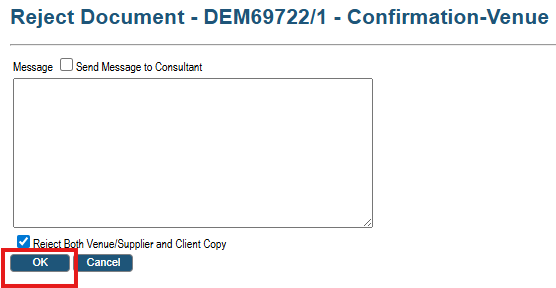
- On the next screen, click OK to reject the documents.
- To remove them from the Outbox:
- Tick the checkbox on the right of each document you want to remove.
- Click Reject.
Was this article helpful?
That’s Great!
Thank you for your feedback
Sorry! We couldn't be helpful
Thank you for your feedback
Feedback sent
We appreciate your effort and will try to fix the article